
Capsule
Capsule is a free, universal alternative to Time Machine — keep your Mac backed up and your files within reach, no matter which computer you're on.
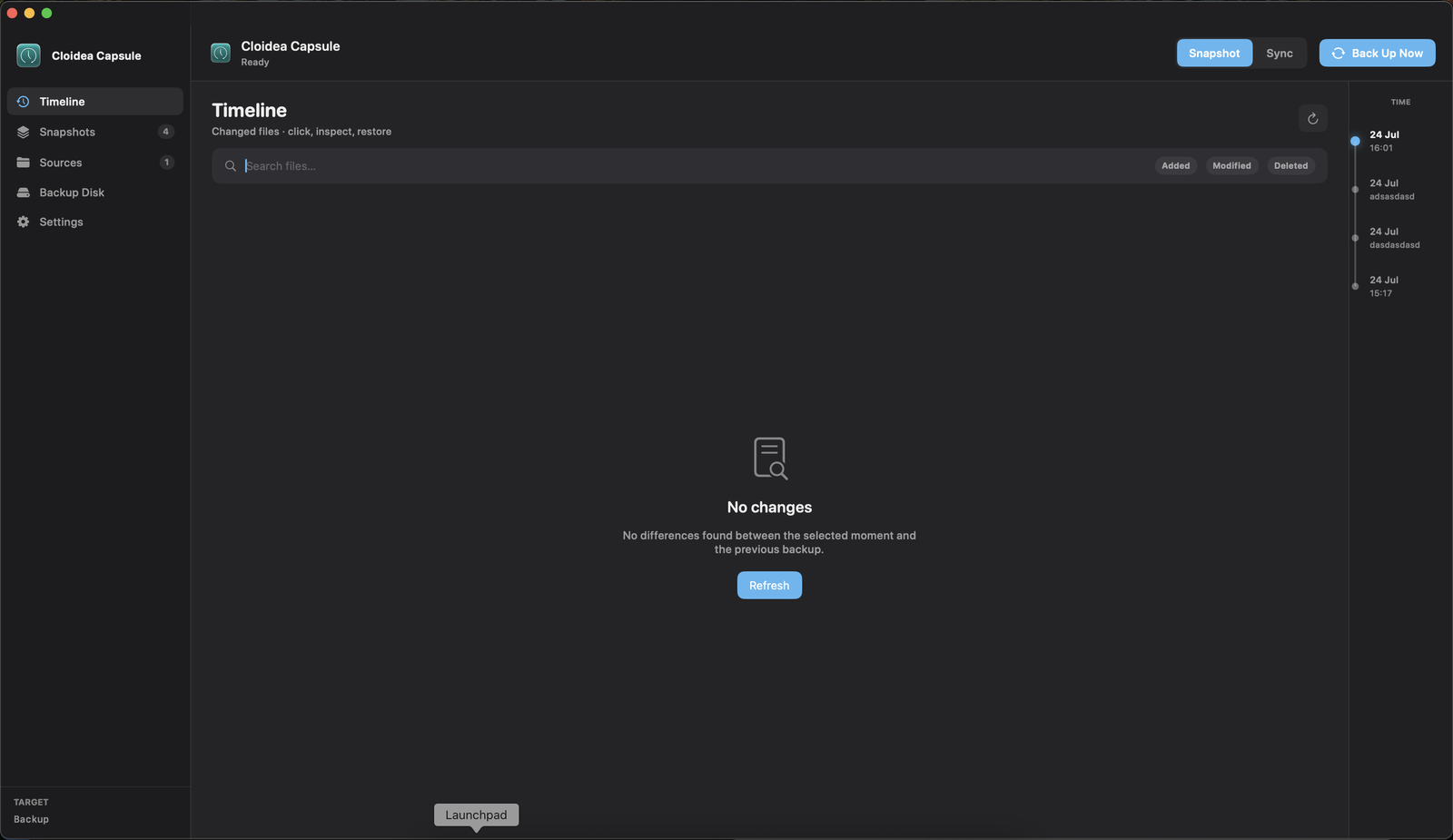
A backup that isn't locked to one operating system
Time Machine keeps your Mac backed up, but that backup is built for macOS alone. Capsule is a free, universal alternative that keeps your files backed up and within reach, whether you're working from a Mac, a Windows PC, or Linux.
What Capsule gives you
The peace of mind of a solid backup, without being tied to one operating system.
Time Tunnel view
Browse your backup history like a timeline and jump straight to the snapshot you need.
Snapshot management
See every snapshot at a glance and choose how many to keep, from 7 to 180 days.
Choose your sources
Pick exactly which folders and volumes get backed up.
Flexible backup destination
Point Capsule at the backup disk that works best for you.
Runs quietly in the background
Capsule launches at startup and waits in the menu bar, ready whenever you need it.
Exclude what you don't need
Skip caches, node_modules, .git, and other patterns you don't want backed up.
How it works
A simple setup gets your backup running in minutes.
Download
Download and install Capsule on your Mac.
Pick sources & destination
Choose what to back up and where to keep it.
Let it run
Capsule keeps a rolling history of snapshots in the background.
Browse the Time Tunnel
Jump back to any snapshot and recover exactly what you need.
A backup that works wherever you do
Download Capsule for free and get a backup that isn't locked to a single operating system.